Blog · Guides · 7 min
My child bypasses every parental control: what to do when the software isn't enough
If your child keeps getting around the parental controls on their iPhone, you haven't set them up wrong. Screen Time is software living inside the very phone you're trying to limit, and from the inside there's always a seam: a restart, a clock change, a passcode somebody watched you type. The limits that hold are the ones with a key that isn't on the phone at all.
Let's talk plainly, parent to parent. You're here because you set the controls up, walked away satisfied, and two weeks later found out they'd been using the blocked app the whole time as if nothing had happened. It's infuriating and it's exhausting. First thing worth saying: you're not imagining it and you're not a careless parent. There's a method behind every one of those workarounds, and thousands of kids know them. I'll go through all of them, no softening, so you know exactly what you're up against. Then I'll explain why this doesn't get fixed by stacking one more setting on top.
How kids bypass parental controls on an iPhone
There are several routes and none of them requires any skill. They're playground knowledge, passed from phone to phone. Here are the ones that come up again and again, so you can work out which one is yours.
The restart and "One more minute" trick. When the app hits its limit and the reminder appears, they tap "One more minute", restart the iPhone, and repeat the same move over and over to stay inside the app past the cap. It isn't clever. It's patience.
Changing the date and time. A lot of restrictions run on a schedule, Downtime above all. Go into Settings, push the system clock forward or back, and time-based rules get confused. An old one, and it still works.
Deleting and reinstalling the app. Some usage counters reset when an app is removed and installed again. Delete Instagram, pull it back down from the App Store, and the daily allowance starts from zero.
Focus modes. With a custom Focus set up carefully, a kid who knows what they're doing can leave apps reachable that you assumed were shut for the evening. Not the most common route, but it happens.
Knowing the passcode. This is the big one. If your child knows the Screen Time passcode, they open Settings and switch the whole thing off in two taps. And plenty of them know it, either because it's the same code they use to unlock the phone or because they've watched you enter it. With that number, everything you built comes down at once.
A VPN or a different browser. Web content filters are the easiest to sidestep: install a free VPN, or open the page in any browser other than Safari. The filter stands guard at one window while they climb in through the other.
If you recognise one or several of these, breathe. Nothing here is a failure on your part. You've simply hit the real ceiling of what a setting inside the phone can do.
Why software parental controls always lose the race
Here's the turn, and it's the part no tutorial tells you. You can change the code, audit the settings every Sunday and block a VPN. It won't matter. Tomorrow there's another trick, and next week another one. You'll always be a step behind — not because you're doing it badly, but because the race is built for you to lose it.
You've fitted a padlock and left the key hanging on the same door, within reach of the person you fitted it for.
The reason is simple. Screen Time is a setting that lives inside the same handset you're trying to limit. And anything that lives inside the phone can be reached from inside the phone. A code gets guessed. A clock gets moved. A counter gets reset. A restart opens a seam. Strip it all back and Screen Time is four digits standing between your child and TikTok — and four digits get guessed, reset, or negotiated for every single night.
This isn't an Apple bug that gets fixed in the next update. It's the nature of software controls: the barrier sits next to the person it's meant to hold, so it can always be argued with, waited out or undone. Which means what you're looking for isn't a better parental control app. It's a limit whose key isn't on the phone. Something in a drawer in the hallway, not something in their pocket.
The barrier a restart doesn't touch: a physical key
Think about it this way. If the only way to reopen a closed app were to hold the phone against a small object that lives in the kitchen, what would restarting do for them? Or moving the clock? Or knowing your passcode? Nothing at all. There's nothing on the phone left to attack, because the key isn't on the phone.
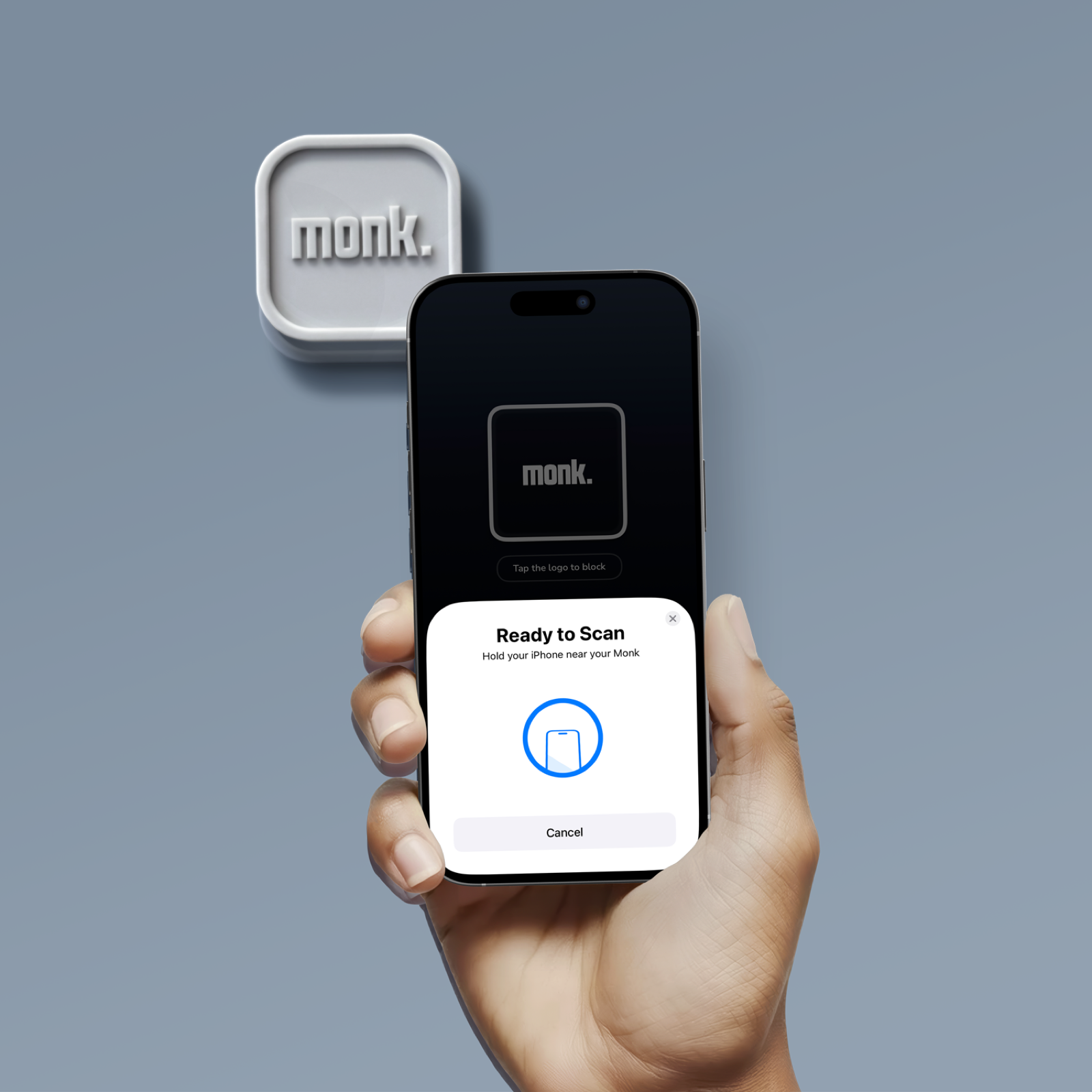
That's what Monk is
The app opens again when somebody walks over and taps a small object in another room.
A physical tag the size of an AirTag. NFC, no battery, nothing to charge. It works as the key. You choose which apps close, and to open one of them again the iPhone has to touch the tag. That's the whole mechanism.
What changes is the shape of the argument. There's no code to work out and no schedule to fool. Restart the iPhone as often as you like, wind the clock forward, delete and reinstall the app, build the cleverest Focus mode in the year group, run the "One more minute" trick until your thumb aches — none of it opens the app, because opening the app means getting up and walking to where the tag is. The rule stops being a number somebody has to police and becomes a distance somebody has to cross.
And the honest part, because we'd rather undersell than oversell. Nothing on iOS shuts a phone completely, ours included, and anyone promising you otherwise is selling you something. A tag is a physical object: it can be found, borrowed, argued over. What it removes is the automatic reach — opening Instagram or the game before you've decided to — and that reach is exactly what the Screen Time workarounds hand back. Calls and the camera never close, and the app keeps three emergency unlocks for the days that need them. The promise isn't an impenetrable phone. It's that the app you closed stays closed until somebody makes a conscious trip to reopen it.
Software versus a physical limit: what holds and what doesn't
Side by side, here's what each trick does when the key lives inside the phone, and when it lives outside it.
| The workaround | Software controls (Screen Time) | A physical limit (Monk) |
|---|---|---|
| Restart and tap "One more minute" | ✗ The cap gives way | ✓ The app stays shut; it still needs a tap |
| Change the date and time | ✗ Confuses scheduled rules | ✓ Nothing to confuse; the key is elsewhere |
| Delete and reinstall the app | ✗ Resets the counter | ✓ Comes back closed |
| Custom Focus modes | ✗ Can slip past restrictions | ✓ No setting substitutes for the tag |
| Knowing the passcode | ✗ Turns everything off | ✓ There's no code to turn off |
| VPN or a second browser | ✗ Gets past content filters | ✓ The blocked app still won't open |
Read that column honestly: it says these particular tricks have nothing to work on, not that the thing is unbeatable. Software is genuinely good at showing you what's happening, filtering by age and framing the ordinary week. As a hard limit it has a ceiling. A physical one holds up better when your child starts testing, for the plain reason that you've left nothing on the phone for them to test.
What Monk is, and how it works in three steps
Monk is a physical device, designed in Spain, that puts something solid between a phone and the apps taking the evening. iPhone only, iOS 16.2 and up. There is no Android version. It's a one-off purchase with no subscription. And the thing that lowers the temperature at home fastest: it doesn't monitor, it doesn't report, it doesn't read anyone's messages. Calls and the camera always work, and there are three emergency unlocks for genuine emergencies.
- You pick the apps that close. Everything else on the phone carries on as normal — school apps, music, maps, the group chat.
- The limit stays put. You can schedule sessions that start on their own, homework or bedtime, so nobody has to announce them.
- To reopen an app, somebody taps the tag. Every time. Where the tag lives is the whole decision: in the kitchen drawer during homework, downstairs overnight.
One more thing, because this was never about winning a standoff. Once the limit stops being negotiable, hunting for workarounds loses its appeal, and something better tends to happen: they start using it for themselves. Tapping out to study without TikTok opening on its own. Tapping out to sleep without the phone tugging at them from the bedside table. That's the version worth aiming for, and it only arrives if the tag is something the whole house uses rather than something you point at them. If what's underneath all this is a teenager who is genuinely hooked, a physical limit does more than lock a door: it takes the fight out of their head every ten minutes.
If you're still tightening up the Apple side before adding anything on top, here's the full guide to setting up parental controls on an iPhone. If your worry is doing this without reading their messages or tracking them, we go into that in phone rules at home without spy apps, and the practical side of closing apps remotely is covered in how to block apps on your child's phone without spying.
Common questions
How do I know if my child has bypassed the parental controls?
The usual signs: Screen Time reports show fewer hours than your own eyes do, an app you limited is back in circulation, the system clock is off, or the controls are simply switched off without you touching them. Several of those at once and you're not imagining it. It's usually the restart trick, a clock change, or the passcode being common knowledge.
Is there a parental control on iPhone that can't be bypassed?
No, and be wary of anyone who says otherwise. No software living inside the phone is unbeatable, because it can always be reached from inside. What changes with a physical limit like Monk is where the key sits: reopening an app means tapping a tag that's in another room, so restarting, clock changes and known passcodes have nothing to work on. That's real friction, not a fortress.
Can my child turn Screen Time off without me knowing?
Yes, if they know the Screen Time passcode they can switch the lot off in two taps — and they often know it, because it matches the unlock code or they've watched you type it. Use a different one and don't leave it lying around. Even so, restarts and clock changes leave seams, which is why a limit that doesn't rest on a number at all behaves differently.
Does Monk replace Apple's parental controls?
They don't compete. Keep Screen Time for what it does well: usage reports, age-appropriate content, privacy settings. Monk covers the part Apple can't reach, which is a chosen app staying closed through a restart, a clock change, a reinstall or a leaked passcode. One informs and filters. The other puts distance between a hand and an app.
Take the key off the phone and put it in the hallway drawer
You've been changing settings and codes for months and they're still a step ahead. That isn't your fault: four digits can always be guessed, reset or negotiated. A distance can't. You set the rule, the tag holds it, and nobody has to relitigate it at half past eleven.
See how Monk worksNo monitoring · No code to guess · Calls always work · Currently shipping within Spain — join the list for the UK and EU